Executing a PIM Implementation project is a transformative process, with tremendous gains to look forward to. The rather less ‘magical’ part of the process is moving your legacy data into it. Accumulated spreadsheets, ageing ERPs, and home-grown databases are hardly likely to align smoothly with a modern data model. Data migration is the name of the game, and it can be an extremely risky affair if not carried out with care and attention.
Our article walks you through the practical steps to follow so that you can move from legacy systems into your shiny new PIM without breaking up your catalogue or missing your go-live date.
Why is PIM data migration considered so risky?
Seasoned professionals say that migration is where projects can be won or lost. Many businesses have simply poured old, inconsistent data wholesale into a new PIM, a recipe for disaster if ever there was. They didn’t get transformation, just the same problems as before, but with nicer branding.
It’s only a mindful approach which turns migration from a nerve-racking test of endurance (with fingers crossed) into the end result where you’ve finally fixed those long-standing product data issues.
The message is clear – avoid recreating the current mess and get your data into the new PIM with a leaner, cleaner and far more usable product record than you have today.
Step 1: audit your legacy data…ruthlessly
Before anyone talks about scripts, API connectors, or Extract-Transform-Load (ETL) tools, it’s crucial to understand the dimensions of the project you’re going to be dealing with. It involves the following steps as planning and prep:
- Listing every source of product data: ERP tables, price lists, supplier feeds, spreadsheets, image folders, home-grown tools.
- Profiling key attributes: To what extent are they missing, duplicated or contradictory?
- Looking at relationships among product information: How are variants, bundles, categories, and assets represented today, ‘as-is’?
It’s here where you identify ROT data: Redundant, Outdated or Trivial products and attributes, all of which should never make it into your new PIM. Audit, assess and cleanse, and remember that migrating less, higher-quality data is quicker, cheaper, and safer than dumping the lot, lock, stock, and barrel.
Step 2: design the target model and mapping
Now, move from “as is” to “to be.” Your new PIM solution will almost certainly have a richer, more structured model than your legacy systems, so create a detailed mapping which clearly indicates:
- Which legacy fields need to map to which PIM attributes
- Where one old field needs splitting into several new ones (for example, mixed marketing and technical text)
- Which attributes are mandatory at PIM go-live, and which can wait until later
Data mapping is the crucial blueprint for everything that follows. If you rush this stage, you’re setting yourself up for tiresome reworks further down the line. Moreover, you should treat data mapping as an organic, ‘living’ document, owned by both business and IT sides of the business – don’t just create it once and leave it static.
Step 3: cleanse, standardise and enrich before you move
As a variant on the usual adage about data management, “Rubbish IN, Rubbish Out” (RIRO) is equally as brutal and accurate. Cleansing is not as ‘sexy’ a part of the process as populating your gleaming new PIM, but it is the most important part of the entire endeavour.
It’s fundamentally important to focus on:
- Standardising units, naming and formats (mm vs cm, “Black” vs “Blk,” date formats, and so on.)
- Removing duplicates and obsolete SKUs
- Filling obvious gaps in mandatory fields
- Aligning categories and taxonomies with how you actually sell today
If possible, ensure that business users and data stewards review exports in a staging area before anything touches PIM. They’re the people who know which product lines really matter, which attributes customers care about, and what the data quality threshold should look like for day one. In other words, this should be a phase where data governance protocols step up to the plate.
Step 4: Avoid the ‘big bang’ approach – instead, migrate in waves
Using a single, high-stakes, “all at once” migration is a tempting option on paper, but in practice, it’s incredibly risky in terms of populating with dirty data or experiencing unforeseen downtime in commercial operations. A staged approach is safer and easier to control. An example (but not definitive) template to adopt:
- Wave 1 – core catalogue
For this subset of products and only essential attributes: identifiers, titles, core specs, basic structure. This will verify your mapping and loading process
- Wave 2 – enrichment and media
Marketing copy, translations, documents, images, and other assets. This wave tests how well the PIM handles richer content at scale
- Wave 3 – complex relationships
Variants, configurables, bundles, cross-sells, and channel-specific data
You should use a staging environment and, after each wave, pause to fix mapping issues before moving on. In many cases, you will also run legacy systems in read-only parallel for a short time so that you can compare old and new views of the product data.
Step 5: test, validate and lock in governance
The migration project doesn’t end when data import is completed; it truly finishes when users trust the data.
Build in:
- Sampling and spot checks – compare PIM records against legacy records for a representative set of products, including edge cases (outliers that don’t conform to the norm).
- Functional testing – check that filters, search, variants, and assets stored inside the PIM work as you intended.
- Channel testing: push a chunk of migrated data to your main eCommerce site (or a test feed to a marketplace) and review it as a customer would.
Use this moment to formalise and implement the definitive data governance framework you want to impose (before bad practices start contaminating the PIM!)
- Make PIM the single source of truth for product information and set legacy systems to read-only for product creation.
- Assign clear ownership, stewardship, and access rights (for changes) for attributes and categories.
- Define how new products will be onboarded so you do not recreate the old problem scenarios inside the new system.
Data stewards are the key stakeholders here because they bridge business understanding and data structure. They will be the people who minimise the risk of legacy bad data being carried into your new platform.
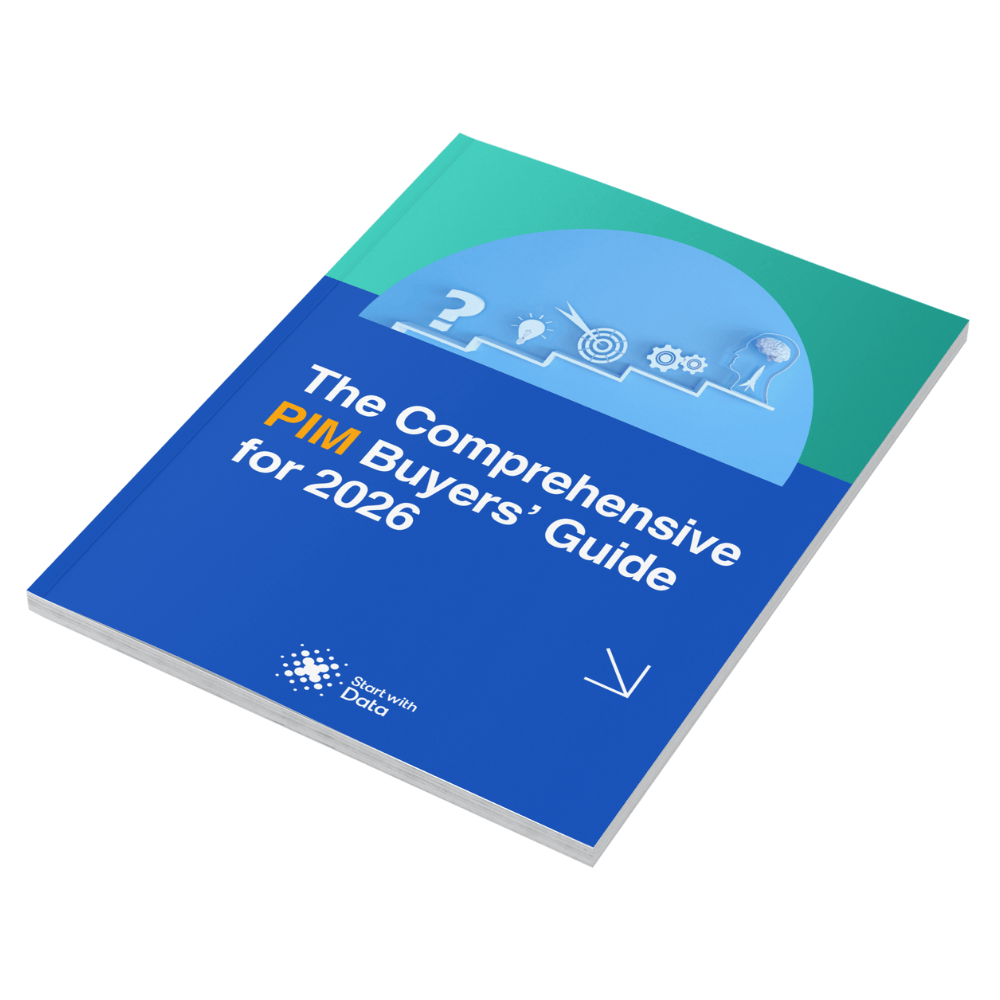
Confused by PIM Vendors?
With 100s of PIM software vendors worldwide, choosing the right PIM solution can be a daunting & confusing task.
Use our guide to assess PIM solutions against the right capabilities to make an objective and informed choice.
Common scenarios to avoid at all costs
There are a few ‘perennial’ problems which can easily derail migrations:
- Treating migration as a pure IT exercise with no involvement from business stakeholder-users
- Lifting and shifting every field “just in case” instead of adopting a mindful auditing approach of selection, rejection, and supplementing
- Skipping proper, rigorous testing to hit an over-optimistic go-live date
- Leaving user training until after launch, to avoid a situation where users blame the PIM for data decisions they never saw or participated in
Identifying these risks early can often matter more than the specific toolset you use.
Final words
If your product data currently lives across spreadsheets, ERP tables, and improvised tools, you’re slipping away from being competitive in a digitally-driven operating environment. Moreover, even though moving to PIM can appear pretty intimidating, if you do it right, the migration stage of the journey is your chance to reset your product information strategy: Clean data, clearer ownership, and a product catalogue you can finally trust and rely on to deliver.
That’s where we at Start with Data can help you. We have a wealth of experience guiding and supporting retailers, distributors, and manufacturers in
- Auditing their legacy landscape
- Designing pragmatic mappings
and
- Running phased migrations which protect the business while setting up future growth
If you would like to leverage our expertise and de-risk your own move into PIM, get in touch with us today and we can talk through your circumstances and recommend a practical migration approach tailored to your situation.